Fansly Content Scheduler
Plan and organize your content postings
Quick Add
Statistics
Upcoming Posts
All Scheduled Content
Add New Content
Creating engaging content consistently is one of the biggest challenges creators face on Fansly. Between managing multiple platforms, responding to fans, and creating new content, finding time to post regularly can feel overwhelming. That’s where post scheduling becomes a game-changer.
The Fansly Content Scheduler allows you to plan, organize, and automatically publish your posts at optimal times, even when you’re not online. Whether you’re using Fansly’s native scheduling features or exploring third-party tools, this comprehensive guide will help you master content automation and maintain consistent engagement with your audience.
What Is the Fansly Content Scheduler?
The Fansly Content Scheduler refers to features and tools that allow creators to schedule posts on Fansly in advance, automating the publishing process. This includes both Fansly’s built-in scheduling capabilities and external tools designed to enhance your content planning workflow.
Key benefits of using a Fansly content scheduler include:
- Time-saving efficiency: Batch create and schedule multiple posts during your most productive hours
- Consistent posting schedule: Maintain regular engagement even during busy periods or time off
- Better audience reach: Post at optimal times when your fans are most active
- Improved content strategy: Plan themed content, promotions, and campaigns in advance
- Reduced stress: Eliminate the pressure of daily manual posting
How to Schedule Posts on Fansly (Step-by-Step)

Fansly offers native scheduling functionality that makes it easy to plan your content directly within the platform. Here’s how to schedule posts on Fansly:
Create Your Post
- Navigate to your Fansly dashboard and click “Create Post”
- Upload your media (photos, videos, or audio files)
- Write your caption and add relevant hashtags
- Set your post type (free, paid, or subscriber-only)
Access Scheduling Options
- Before publishing, look for the scheduling icon (usually a clock symbol)
- Click on “Schedule Post” instead of “Publish Now”
- A calendar and time picker will appear
Step 3: Set Your Publishing Time
- Select your desired publication date from the calendar
- Choose the specific time you want the post to go live
- Consider your audience’s timezone and peak activity hours
- Confirm your scheduling settings
Review and Schedule
- Double-check your content, caption, and scheduled time
- Click “Schedule” to add the post to your content queue
- You’ll receive a confirmation that your post has been scheduled
Pro tip: Schedule posts at least 15-30 minutes in advance to ensure proper processing time.
Third-Party Tools for Fansly Post Scheduling
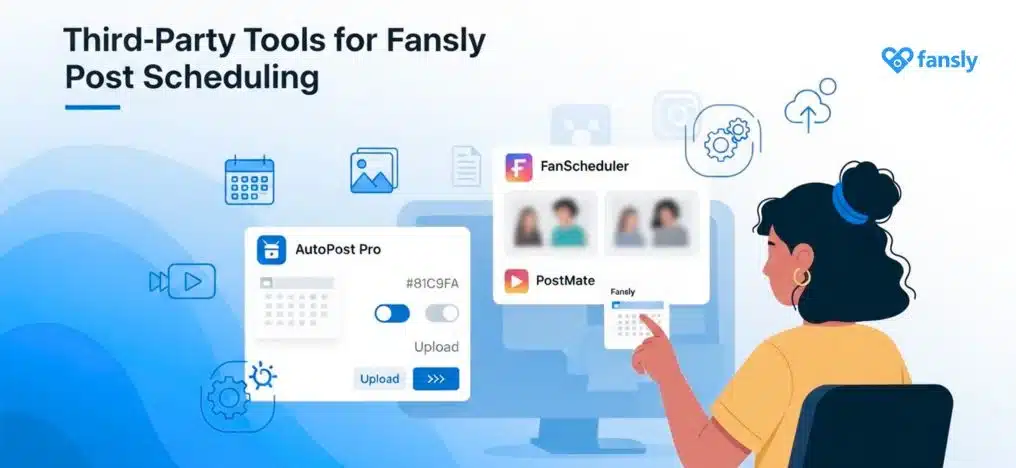
While Fansly’s native scheduler is convenient, several third-party tools offer enhanced features for content planning and post automation:
FanslyBot
FanslyBot is a popular third-party scheduler that provides advanced automation features:
Pros:
- Bulk scheduling capabilities
- Advanced analytics and engagement tracking
- Cross-platform posting to multiple accounts
- Automated fan interaction features
Cons:
- Requires sharing account credentials (security consideration)
- May have monthly subscription costs
- Platform policy changes could affect functionality
FanslyScheduler (Twitter/X Integration)
Some creators use Twitter-based scheduling tools that cross-post to Fansly:
Benefits:
- Manage multiple social platforms from one dashboard
- Advanced content calendar views
- Team collaboration features
Important Security Notes:
- Only use reputable tools with strong security measures
- Never share your login credentials with unverified services
- Regularly review and revoke access to third-party applications
- Consider using dedicated passwords for scheduling tools
When to Use External Tools vs Native Scheduling
Use Fansly’s native scheduler when:
- You need simple, reliable scheduling
- Security is your top priority
- You’re scheduling individual posts occasionally
Consider third-party tools when:
- You need bulk scheduling capabilities
- You manage multiple accounts or platforms
- You require advanced analytics and planning features
- You have a content team that needs collaboration tools
Where to Find and Manage Scheduled Posts
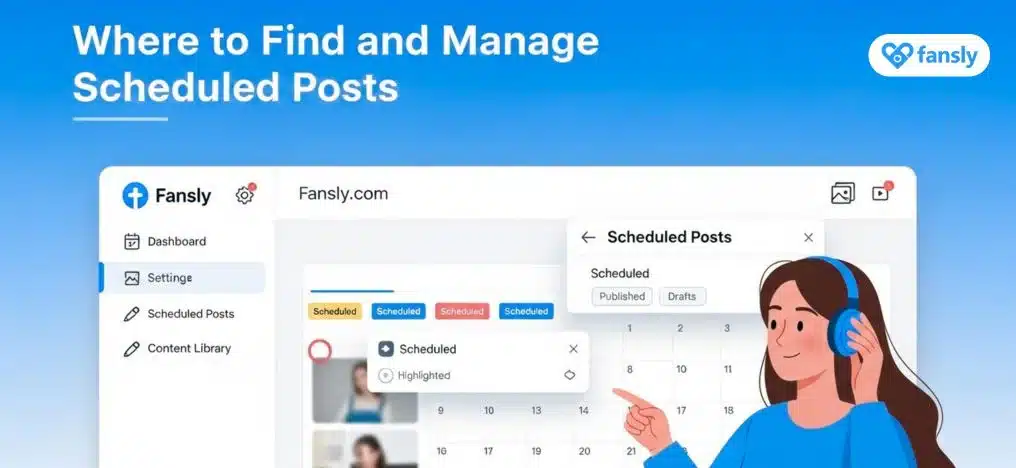
Managing your scheduled content is crucial for maintaining an effective posting strategy. Here’s how to view and edit your Fansly post queue:
Accessing Your Scheduled Posts
- Go to your Fansly dashboard
- Look for “Scheduled Posts” or “Content Queue” in your menu
- This section displays all upcoming scheduled content
Managing Your Content Queue
- Edit scheduled posts: Click on any scheduled post to modify content, timing, or settings
- Reschedule posts: Drag and drop posts to different time slots (if supported)
- Delete scheduled posts: Remove posts that are no longer relevant
- Preview posts: Check how your content will appear before it goes live
Troubleshooting Common Issues
Missing or delayed posts:
- Check your internet connection and platform status
- Verify your timezone settings are correct
- Ensure your content meets Fansly’s publishing guidelines
Failed post uploads:
- Check file sizes and formats are within platform limits
- Verify your account has sufficient storage space
- Try rescheduling the post with a longer lead time
Best Practices for Scheduling Fansly Content
Optimal Posting Frequency
- Daily posting: Ideal for maintaining high engagement and visibility
- 3-4 times per week: Minimum recommended frequency for consistent growth
- Quality over quantity: Better to post less frequently with high-quality content than overwhelm followers
Best Times to Post on Fansly
While optimal posting times vary by audience, general guidelines include:
- Evening hours: 6 PM – 10 PM in your audience’s timezone
- Weekend mornings: Saturday and Sunday 9 AM – 12 PM
- Late night: 10 PM – 12 AM for adult content platforms
Pro tip: Use Fansly’s analytics to identify when your specific audience is most active.
Content Planning Strategies
Batch content creation:
- Dedicate specific days to creating multiple pieces of content
- Organize content themes by day or week
- Prepare seasonal and holiday-specific content in advance
Balancing free and paid content:
- Schedule free teaser content to attract new subscribers
- Plan premium content releases for loyal fans
- Use scheduling to create anticipation for special content
Content variety:
- Mix different content types (photos, videos, text posts)
- Alternate between promotional and personal content
- Schedule engagement posts (polls, questions) to boost interaction
FAQs
Conclusion
The Fansly Content Scheduler is an essential tool for any creator serious about building a successful presence on the platform. Whether you choose to use Fansly’s native scheduling features or explore third-party automation tools, consistent posting is key to growing your audience and maximizing your earnings.
By implementing a strategic approach to content scheduling, you can maintain regular engagement with your fans while freeing up time to focus on creating high-quality content and building meaningful connections with your audience.
Start by experimenting with Fansly’s built-in scheduler for your next week’s content. As you become more comfortable with the process, consider exploring additional tools and strategies that can help streamline your content creation workflow.
Ready to take control of your content strategy? Schedule your next week’s posts today and experience the freedom that comes with automated content publishing!